An app to monitor your Raspberry Pi surveillance.
Now access all your Raspberry Pi Cameras from anywhere using a single android application.


Now access all your Raspberry Pi Cameras from anywhere using a single android application.
This surveillance setup with just under ₹2000* and some Python coding is a perfect cost-effective, easy-to-set-up and easy-to-use home surveillance solution. Along with My PiCams app which provides a single pane of glass to monitor all the cameras from a single android application, it becomes a go-to solution for all IoT enthusiasts.
*The price mentioned considers a Raspberry Pi Zero W with a supported third party 5MP Pi Camera module.
Watch who's in the lobby or at the door without even attending it!
Ensure safety of your little ones in the other room!
Watch for uninvited birds trying to snatch your little seedlings!
Keep an eye on your furry members for their mischieves!
Ensure safety of your ride parked in the garage!
Basically setup a PiCam wherever you need to keep an eye on!

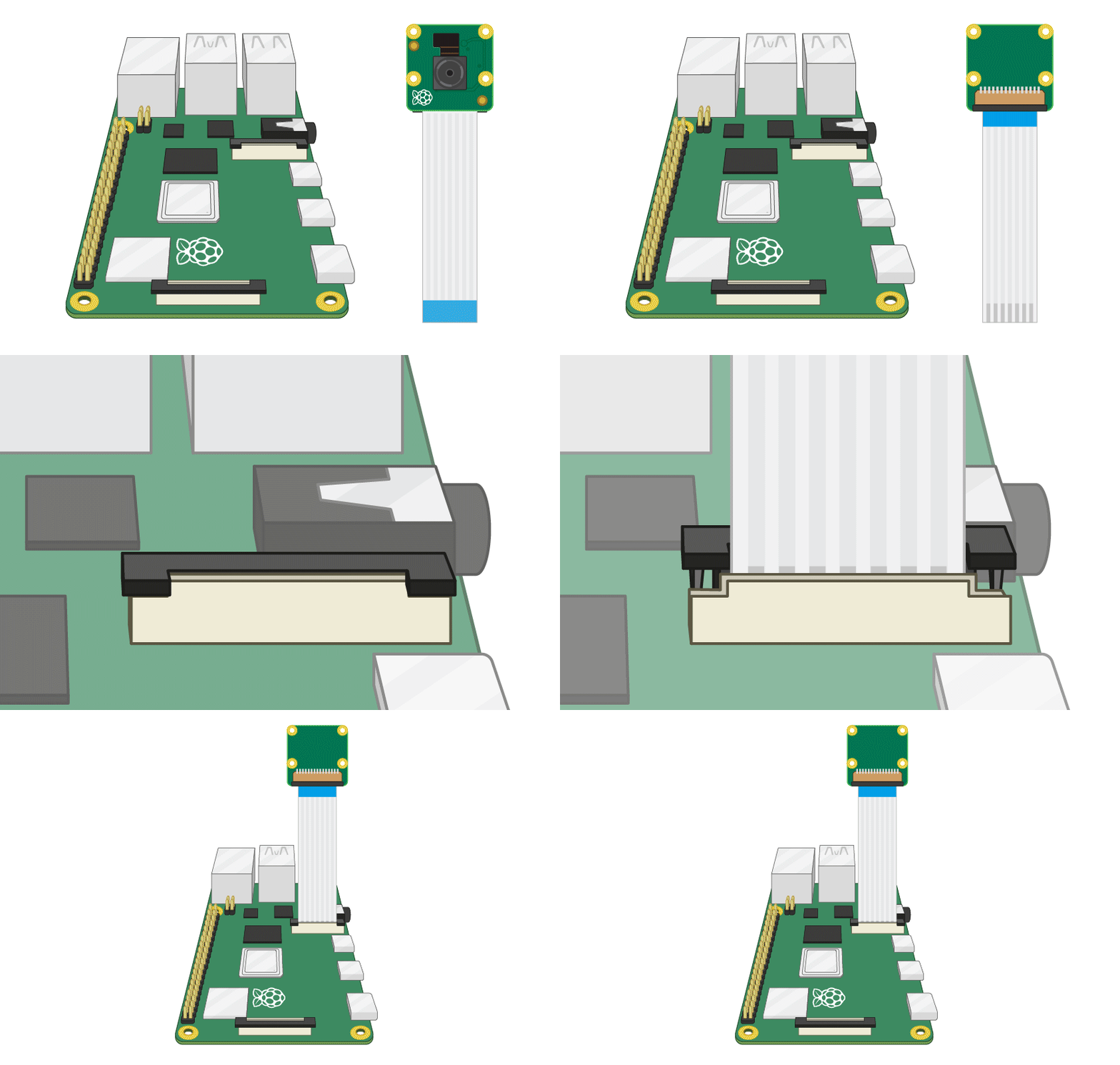
Getting our Pi ready is a two step process; first get the hardware working by installing the camera using this doc. And secondly configure our Pi Camera to stream the video output over the web using this doc. Once the setup is ready, we can test from a web browser before accessing it directly from the app. Please make sure the python code for web streaming is saved in the home folder with the name camerastream.py as this is where the app will try to find the code to execute.
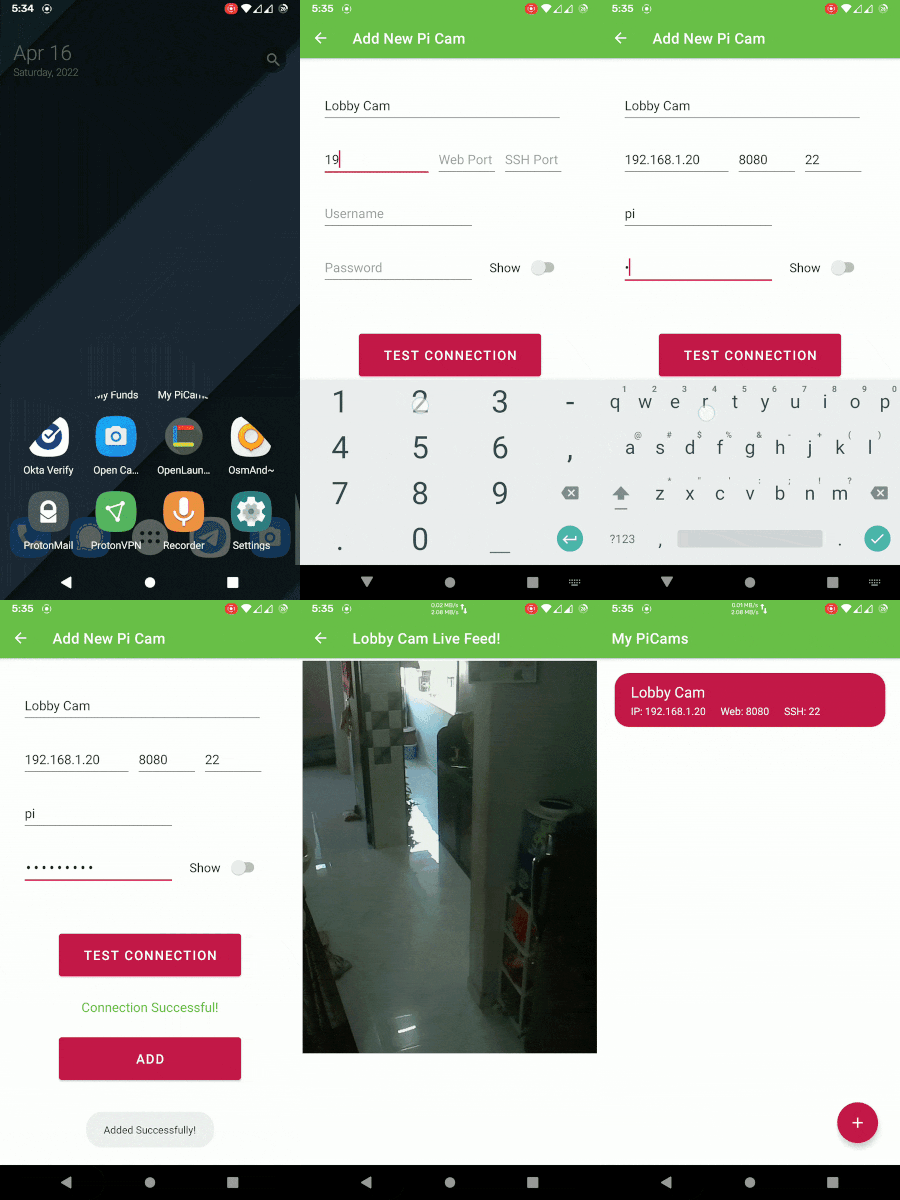
Configuring the app is as easy as it can be. Just fill in the details with proper IP Address, Web Port number, SSH Port number, Username and Password. If you are unsure about the port numbers, then web port number is the one we used in camerastream.py and SSH port number is usually 22 if you haven't changed it. The Alias name of the Pi Camera can be anything as it is for your reference.